
Aclands Video Atlas of Human Anatomy
02 Nov 2018
Susan Isaac
Acland’s Video Atlas of Human Anatomy is a popular resource with practicing surgeons, as it provides an accessible source of anatomical information featuring simple language and beautifully-clear visuals. It shows real cadaver specimens that aren’t stiffened or discoloured by embalming and retain the colour, texture and mobility of the living body.
The Video Atlas can be used to review clinically-relevant anatomical structures before operating. It’s a useful tool for preparation for the MRCS exam, providing an appreciation of the real human body and a direct understanding of the mechanics of body movement.
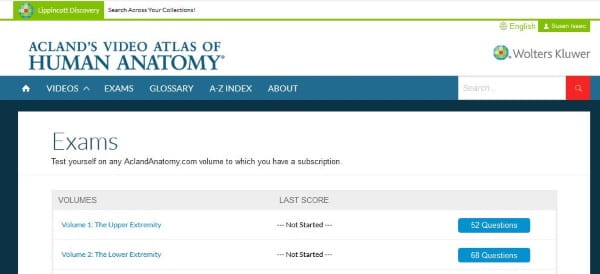
Exams are available for each volume to test your learning. Easy to navigate, the content can be searched by anatomical regions and parts or by the A-Z index. Run times are listed for each part and you can start, stop, and pause at any time while viewing a video. PDF transcripts of the audio are also available.
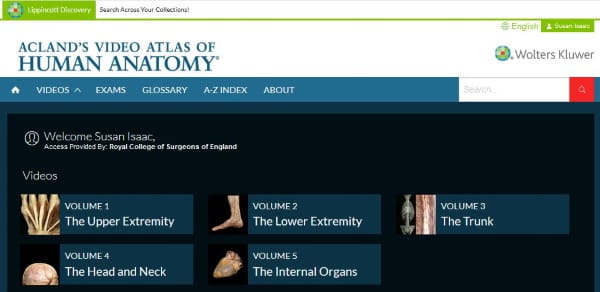
The videos are organised into 5 volumes covering the whole body:
- Upper extremity
- Lower extremity
- Trunk
- Head and neck (includes the Oral Cavity and Facial muscles)
- Internal organs
Accessing the Video Atlas:
Fellows, Members and Affiliates can access Acland’s by visiting the Aclands website and logging in with their College Login details when requested.
If this does not work:
- Go to the RCS England website and log in using your College login
- Go to the Video Atlas website and select
Sign In
from the top right of the page - On the Acland’s Video Atlas login page, click on
OpenAthens login
Please see our help page for more information and illustrations.
Using the Video Atlas
Login and choose one of the five volumes available from the main page to get started.
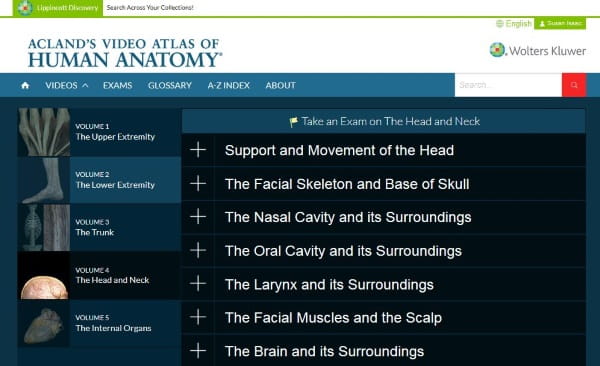
Each volume is split into more specific categories. Click on the ‘plus sign’ at the left side of each category to view the videos available for each of them. At the end of each section, a short, integrated video appears so you can quickly review what you’ve learned, recapping important structures and objects for test preparation and knowledge reinforcement.
There are review sections and exams to test the content that has been covered in the videos. Click on the “Exam” tabs in the menu bar where you can choose from different test options:
- Time me mimics the exam experience giving you 60 seconds to answer.
- Target questions I got wrong lets you focus on the questions that you answered incorrectly in previous exams.
- Review lets you see the answers and links to the video so you can review your answer immediately or you can check the answers at the end from the itemized list.
To save your exam progress you will need to register for a personal account.
At the bottom of every page there is a link to a PDF ‘getting started’ user guide.
Susan Isaac, Information Services Manager